
Secure Checkout
Welcome to MKS’ web-based Service ePortal. The ePortal is available for all US-based customers to request an RMA, check RMA status, and more. This easy-to-use online tool helps streamline your service-related activities.
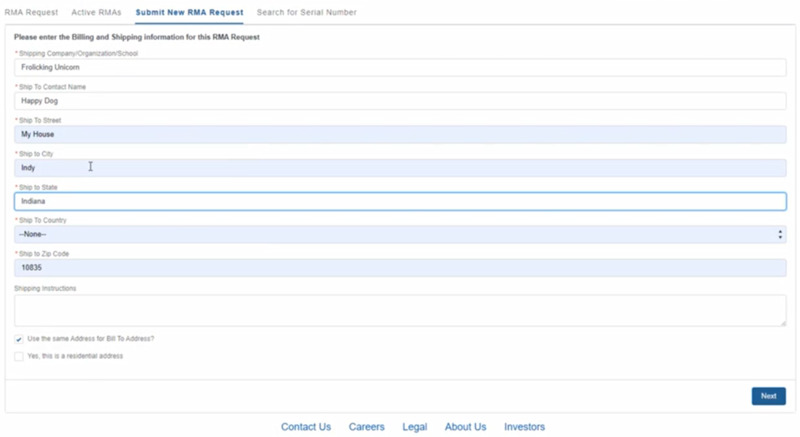


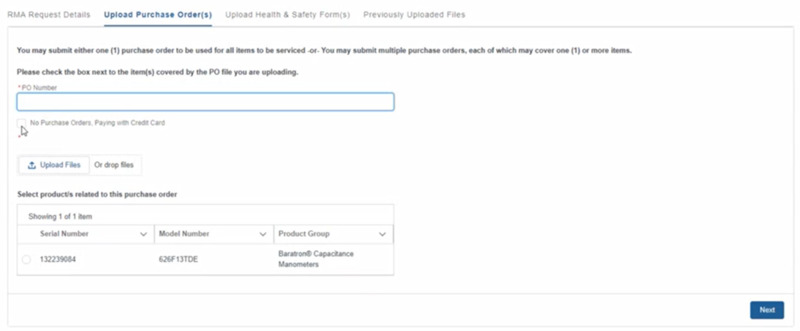
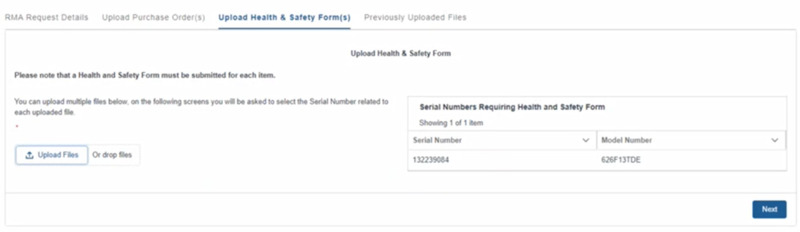
Some of the things you can do on the ePortal:
- Create an RMA
- See all ePortal created active RMAs
- Search by serial number
- Upload related Health and Safety forms
- Upload a purchase order
- View repair status including unit receipt, in repair, in test, and unit shipped milestones
- Get tracking number information
- Link all your service site locations for a complete overview of your service requests
To use the ePortal, you need to Register first by providing us with:
- Name
- Company
- Email address
- Phone number
- Your primary work location
Once your account is active, you can request an RMA, upload all relevant materials, and follow the unit through the repair process. If you use the ePortal exclusively for all your RMAs, you’ll have access to the entire service history of ePortal created RMAs.
The service ePortal is currently available for US-based customers only. Web-based service support for more regions will be added throughout the year.
Interested in trying out the ePortal today, click on the Register button below and start the process
Want to know more?
|
Download the ePortal Brochure |
Interested in trying out the ePortal?
|
Register for the ePortal |
Already an ePortal user?
|
Log in to the ePortal |
Have questions?
|
Contact MKS Global Service |